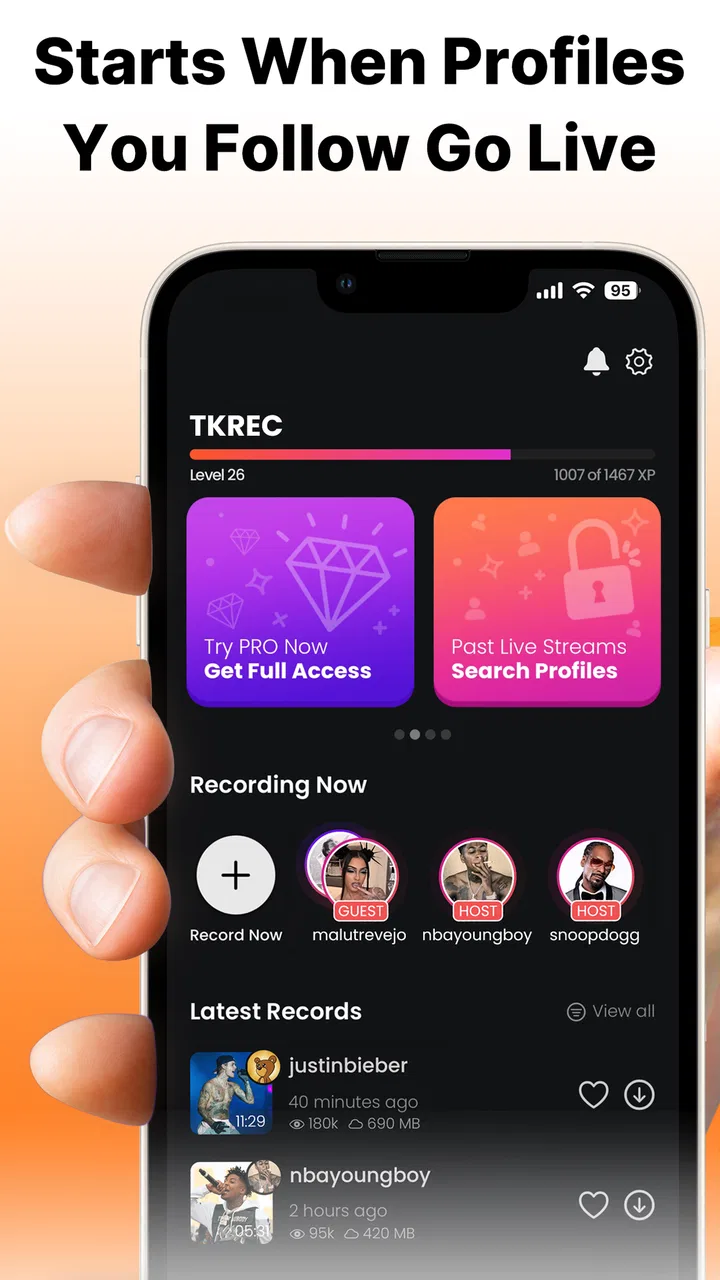
Record & Rewatch TT Live TKREC
- 4.5
- Rating
- 50.00K
- Installs
- Free
- Price

 Analysis by App-foxy
I came away from Record & Rewatch TT Live TKREC with a fairly clear impression: it is a focused social app for people who regularly watch TikTok live broadcasts and want a practical way to revisit them. Its purpose is narrower than a general screen recorder, and that narrow focus is both its biggest strength and its main limitation. If you often discover useful, funny, or easy-to-miss moments during live streams, the app can fit neatly into that habit. If you only record your phone occasionally, a standard recorder may be the simpler choice.
The app is free to install and sits in the social category, with a Teen content rating. It comes from GREC: Screen Recorder and supports devices running Android 7.0 or later. The current version is 1.3.1, and its store presence shows a 4.5 average from around 1.8 thousand ratings, alongside more than 50 thousand installs. Those numbers suggest that it has found a specific audience rather than trying to be an all-purpose video utility.
What using the app feels like in everyday viewing
The most convincing use case is a live broadcast that cannot be treated like an ordinary uploaded video. A live session moves quickly, comments appear and disappear, and the part you want to remember may happen while you are away from the screen. A recorder built around live viewing gives that situation priority instead of making you configure a broad collection of unrelated tools.
You May Also Like

 AccuWeather: Weather Radar
AccuWeather Review: A Quick, Clear Forecast for Everyday Decisions
For everyday plans, the best forecast is the one you can understand quickly. AccuWeather makes rain timing, radar, and local conditions easy to act on, with a few trade-offs.

 Hill Climb Racing
Why Hill Climb Racing Still Turns Crashes Into One More Run
A tiny car, a bumpy hill and one more upgrade: Hill Climb Racing keeps resurfacing because its simple chaos makes every near-miss feel personal.

 AliExpress - Shopping App
AliExpress Makes Global Shopping Feel Personal, but Shoppers Bear the Risk
AliExpress turns a global marketplace into a pocket-sized discovery engine. Its reach is useful, its shopping loop compelling, and its trade-offs easy to miss.

 Lords Mobile: Kingdom Wars
Lords Mobile Is a Kingdom-Building Routine, Not a Quick Match
A case-by-case verdict on the building, battles, device demands, and social commitments that make Lords Mobile rewarding for some players and exhausting for others.

 PDF Scanner app - TapScanner
TapScanner Makes Paperwork Easier to Capture, Check, and Share
TapScanner makes scanning with a phone feel less like a rescue operation and more like a dependable step in getting work done. Its capture tools are useful, though not flawless.

 Block Blast!
 Shows How Much a Puzzle Game Can Leave Out
A quiet grid game shows why puzzle players increasingly value instant clarity, repeatable skill and low-pressure play—and where the genre still needs to catch up.
More From Our News Desk
View All News


I can easily imagine using it during an evening when a creator announces a live session at a time I cannot fully attend. I would start the recording before stepping away, let the broadcast continue, and return later to review the sections that mattered. That is more useful than relying on memory or hoping the creator posts the same material afterward. It also suits viewers who want to preserve a tutorial, performance, discussion, or spontaneous announcement for personal rewatching.
The app’s appeal comes from reducing the distance between watching and saving. With a normal screen recorder, I would first think about whether the recording controls are easy to reach, whether I started at the right moment, and whether the result will be convenient to revisit. TKREC is aimed at that exact viewing pattern, so the decision feels more direct: open the tool when a live broadcast is about to begin, record the relevant session, and return to it afterward.
That does not mean every recording becomes effortless. Live video is unpredictable, and the quality of the final capture depends on the stream, the phone, available storage, and what else is happening on the device. I would still prepare before an important broadcast rather than assume that pressing one control solves every problem. Closing unnecessary apps, checking free space, and keeping the phone connected to power are sensible habits for any long recording.
The strongest reason to choose this focused recorder
The strongest argument for TKREC is its single-minded workflow for TT Live viewing. A general recorder is useful when I need to capture anything on the screen, but that flexibility can also make it feel disconnected from the reason I am recording. Here, the intended activity is clear from the beginning: preserve a live stream so it can be watched again.
That focus matters for viewers who follow several creators with irregular schedules. A live broadcast may contain information that is difficult to reconstruct later, especially when the content is conversational or changes as viewers interact. Recording gives me a personal reference copy for reviewing details at my own pace. I can pause while taking notes, revisit a fast explanation, or check a moment that passed too quickly during the original stream.
There is also a useful distinction between this kind of app and a download tool. A download feature depends on whether a platform exposes a suitable saved version. A live recording approach is designed for what is happening on the screen at that moment. That makes it relevant when the broadcast is temporary, when the creator does not later upload the full session, or when I want to preserve the viewing context rather than search for a separate file.
Another practical insight is that recording can be used selectively rather than as an all-or-nothing habit. I would not save every live stream automatically. Instead, I would begin when a particularly useful segment is approaching, or record a session only when I know I will need to consult it later. That keeps the phone’s storage more manageable and makes the resulting library easier to navigate.
For people who learn from live demonstrations, this selective approach is especially sensible. A viewer might record a creator explaining a process, then rewatch the section while practicing it. The value is not merely having a video file; it is being able to turn an unrepeatable moment into something that can be reviewed at a slower pace. That is a more meaningful benefit than simply saying the app can capture the screen.
Where it compares well with ordinary alternatives
Android’s built-in screen recording is the obvious alternative for many users. It is often convenient because it is already part of the phone, and it may be enough for someone who records only once in a while. A general recorder can also be a better fit when the user wants to capture games, video calls, app demonstrations, or many different kinds of content.
TKREC makes more sense when the user’s main reason for recording is live social video. The narrower purpose can make the choice less distracting, particularly for someone who does not want to sort through a broad utility app every time a broadcast begins. The trade-off is that a specialized tool is less compelling outside that situation. I would not install it solely to record an occasional static clip if the phone’s own recorder already handles that need comfortably.
It also differs from simply saving a post or relying on a creator’s replay. Saving a regular post preserves something that has already been published in a stable form. A live broadcast is more fluid, and the replay may not be available in the same way afterward. Recording is therefore most valuable when timing matters. If I only want to bookmark ordinary short videos, this is not the tool I would reach for.
There is a second trade-off involving organization. A specialized live recorder can solve the capture problem, but recording itself does not automatically create a thoughtful archive. I would still rename or sort important files using the phone’s normal file or gallery tools when possible, especially if I save several broadcasts. Without that habit, a useful recording can become difficult to find a week later.
The limitation that deserves the most attention
The main weakness is not that the app has an overly complicated purpose; it is that recording a live broadcast can create a large, uninterrupted file even when only a few moments are important. A viewer who starts recording early and forgets to stop may end up with a long video that takes time to review and consumes more storage than expected.
That is why I would treat the start and stop moments as part of the workflow. Before recording, I would decide whether I need the entire broadcast or only a particular section. If I am waiting for a creator to reach a topic, I might avoid beginning too early. If I am recording while away from the phone, I would be more cautious about storage and battery because the session may continue longer than planned.
Another point is privacy and responsibility. A live broadcast can include people who did not expect a permanent personal copy, and comments or private details may appear unexpectedly. The app’s technical purpose does not remove the need for judgment. I would keep recordings for legitimate personal reference, avoid sharing sensitive material, and think about the creator’s expectations before distributing anything. This is particularly important because a saved recording can outlast the original live moment.
Users should also remember that the Teen rating makes the app unsuitable for treating live social content as automatically appropriate for every viewer. The tool records what is shown; it does not turn a live platform into a controlled viewing environment. Parents and younger users should make decisions based on the content being watched, not only on the recorder itself.
The free entry point is helpful, but the app includes in-app purchases ranging from $1.99 to $69.99 per item. That broad range means I would look carefully at what any purchase offers before paying. For occasional recording, I would begin with the free experience and only consider spending money if the app proves useful in my routine. A paid option is easier to justify for someone who records frequently, but it is not automatically worthwhile for a casual viewer.
Small workflow choices that make a real difference
My first tip would be to make a short test recording before trusting the app with an important live session. This is not a criticism unique to TKREC; it is a sensible way to confirm that the controls feel familiar on a particular phone and that the resulting file is easy to locate and replay. A brief test also helps reveal whether the user is comfortable with the amount of on-screen interaction required before a broadcast begins.
My second tip is to plan the recording around the purpose of the replay. If I am saving a tutorial, I would keep the full explanation together rather than collecting disconnected fragments. If I only want a brief announcement, I would stop soon afterward. This makes the archive more useful and avoids turning every live session into a large, vague file.
My third tip is to separate “watch later” recordings from “keep permanently” recordings. Most live captures are probably temporary references. After reviewing one, I would decide whether it still deserves storage. This simple two-step habit prevents the app from becoming a storage bin and makes it easier to protect the few recordings that genuinely matter.
A less obvious use is creating a personal study reference from recurring live lessons. Someone following a creator who explains a craft, language, fitness routine, or software process might record a session, rewatch it while practicing, and then delete it after extracting the useful notes. The app is not a replacement for a structured course, but its live-focused purpose can help preserve explanations that would otherwise be difficult to revisit.
It can also help when a viewer has an unreliable schedule. Instead of missing a broadcast entirely, the viewer can arrange a recording around the time it begins and watch afterward. I would still check the phone beforehand rather than assume that a long unattended session will always be ideal, but this workflow is more realistic than trying to rearrange an entire day around every live event.
Who will appreciate it, and who should skip it
I would recommend TKREC to regular TikTok live viewers who repeatedly find themselves wishing they could replay a broadcast. It is a particularly good match for people who follow educational, commentary, performance, or community-focused live content and want a personal way to review it later. The app’s purpose is easy to understand, and the free installation lowers the barrier to trying it.
It is also suitable for users who want something more targeted than a general recorder. If the main task is capturing live social video, a focused interface can feel more natural than a utility designed equally for games, calls, tutorials, and every other screen activity. The app’s Android compatibility from version 7.0 onward also makes it relevant to people using older supported devices.
I would skip it if I rarely watch live broadcasts, already have a built-in recorder that meets the need, or mainly want to save ordinary uploaded videos. I would also choose a broader screen recorder when my work involves frequent captures from several apps. In that case, TKREC’s specialization may feel restrictive rather than helpful.
Users who expect advanced editing, automatic cataloging, or a complete media-management system should set their expectations carefully. The core attraction is recording and rewatching live content, not replacing a full video editor or a carefully organized archive. I would pair it with the phone’s existing gallery and file tools if I needed trimming, naming, or long-term organization.
My final recommendation
Record & Rewatch TT Live TKREC succeeds because it addresses a specific frustration: live content is easy to miss and often difficult to revisit in exactly the same form. In my experience, that makes its focused identity more valuable than a long list of unrelated functions. The best results come from using it deliberately, recording only the sessions or sections worth keeping, and reviewing or deleting files afterward.
Its limitations are equally clear. It is not the most sensible installation for someone who only needs occasional screen capture, and recording long broadcasts requires attention to storage, battery, organization, and responsible sharing. The in-app purchase range also means I would not spend money immediately; I would first confirm that the free experience fits my viewing habits.
For a regular live-content viewer, though, the balance is favorable. The app is free to start, has a strong 4.5 average, and has already attracted over 50 thousand installs. More importantly, its purpose is practical rather than vague: it gives viewers a way to turn fleeting live moments into something they can revisit. If live broadcasts are a regular part of your social-media routine, TKREC is worth trying; if they are not, your phone’s standard recorder is probably the better answer.
FAQs for Record & Rewatch TT Live TKREC
01What is Record & Rewatch TT Live TKREC?
Record & Rewatch TT Live TKREC is an app designed to help users capture and replay TikTok LIVE broadcasts. It is intended for people who want to save live content for personal viewing later, especially when they cannot watch a stream in real time. Before downloading, check the app’s current compatibility, supported devices, and whether its recording features work with your version of TikTok.
02How does TKREC record TikTok LIVE videos?
The app may use screen recording or an in-app recording method, depending on your device and the version available from the developer. You will usually need to grant permissions such as screen capture, storage, notifications, or microphone access. Read each permission request carefully, and test a short recording first to confirm that the picture, sound, and saved file behave as expected.
03Can I watch recorded LIVE videos without an internet connection?
If TKREC successfully saves a recording to your device, you may be able to replay it offline using the app or a compatible video player. Offline availability depends on where the file is stored and whether the recording was exported correctly. Keep enough free storage available, because long LIVE sessions can create very large video files and may quickly consume device space.
04Is it legal and safe to record TikTok LIVE content with TKREC?
Recording a LIVE broadcast can involve privacy, copyright, and platform-policy considerations. You should only record content when you have the necessary permission and use it for lawful, personal purposes. Avoid redistributing recordings without the creator’s consent. Also download TKREC from a trustworthy source, review its privacy policy, and avoid granting permissions that are unrelated to recording or playback.
05What should I check before downloading Record & Rewatch TT Live TKREC?
Before installing the app, verify that it supports your Android or iOS version and that your device has sufficient storage and performance for long recordings. Check the developer information, recent reviews, update history, requested permissions, and any subscription or advertising details. It is also wise to confirm whether TikTok changes could affect recording reliability, since third-party tools may stop working after platform updates.
Pros
- Captures live sessions locally for later viewing without an internet connection.
- Simple recording workflow makes it accessible to first-time users.
- Useful for reviewing missed moments or keeping personal livestream archives.
- Can help creators study presentation style and audience interactions.
- Playback lets you revisit content at your own pace.
Cons
- Recording long livestreams can quickly consume considerable storage space.
- Video quality may depend on the device and available system resources.
- Background recording can drain the battery during extended sessions.
- Saved recordings may lack certain live-only features or interactive elements.
- Users should check privacy and consent rules before recording other people.

Record & Rewatch TT Live TKREC
Gallery